The MedCalls dashboard

See what happened on every call.

Review calls, outcomes, and performance from one workspace built for your clinic team.

Product views shown with synthetic data.

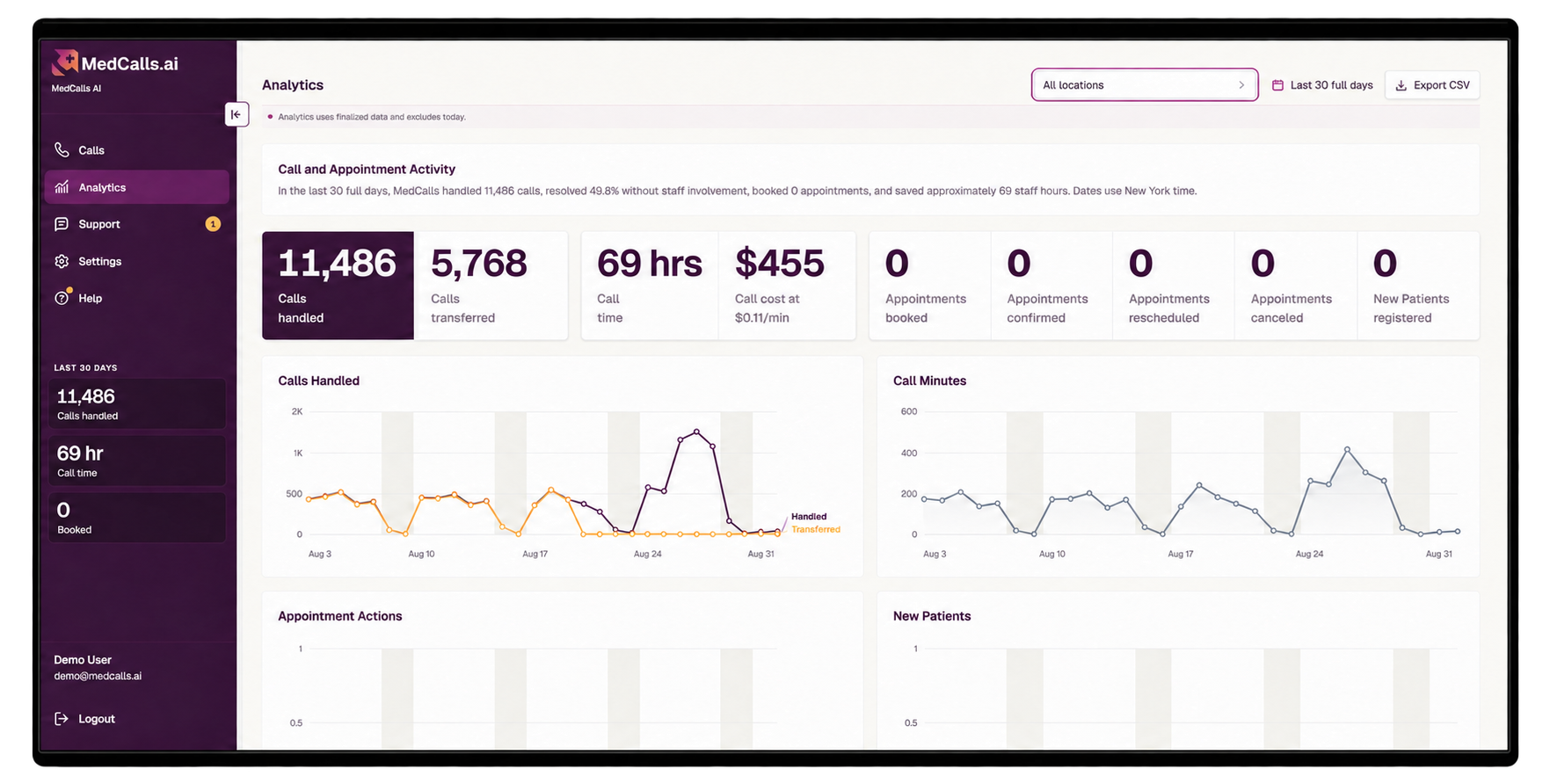
MedCalls analytics dashboard showing synthetic call totals, appointment outcomes, call time, and performance trends
Analytics makes call and appointment outcomes visible at a glance.
Recording, transcript, and summary Outcomes and actions Performance analytics Support in one workspace

Every call has context

Review the call without replaying the whole day.

Start with the call history, then open an individual record to hear the call, read the transcript, scan the summary, and see what MedCalls did while the patient was on the line.

  • Recording playback and full transcript
  • Call summary and caller category
  • Actions taken and booked-appointment outcome
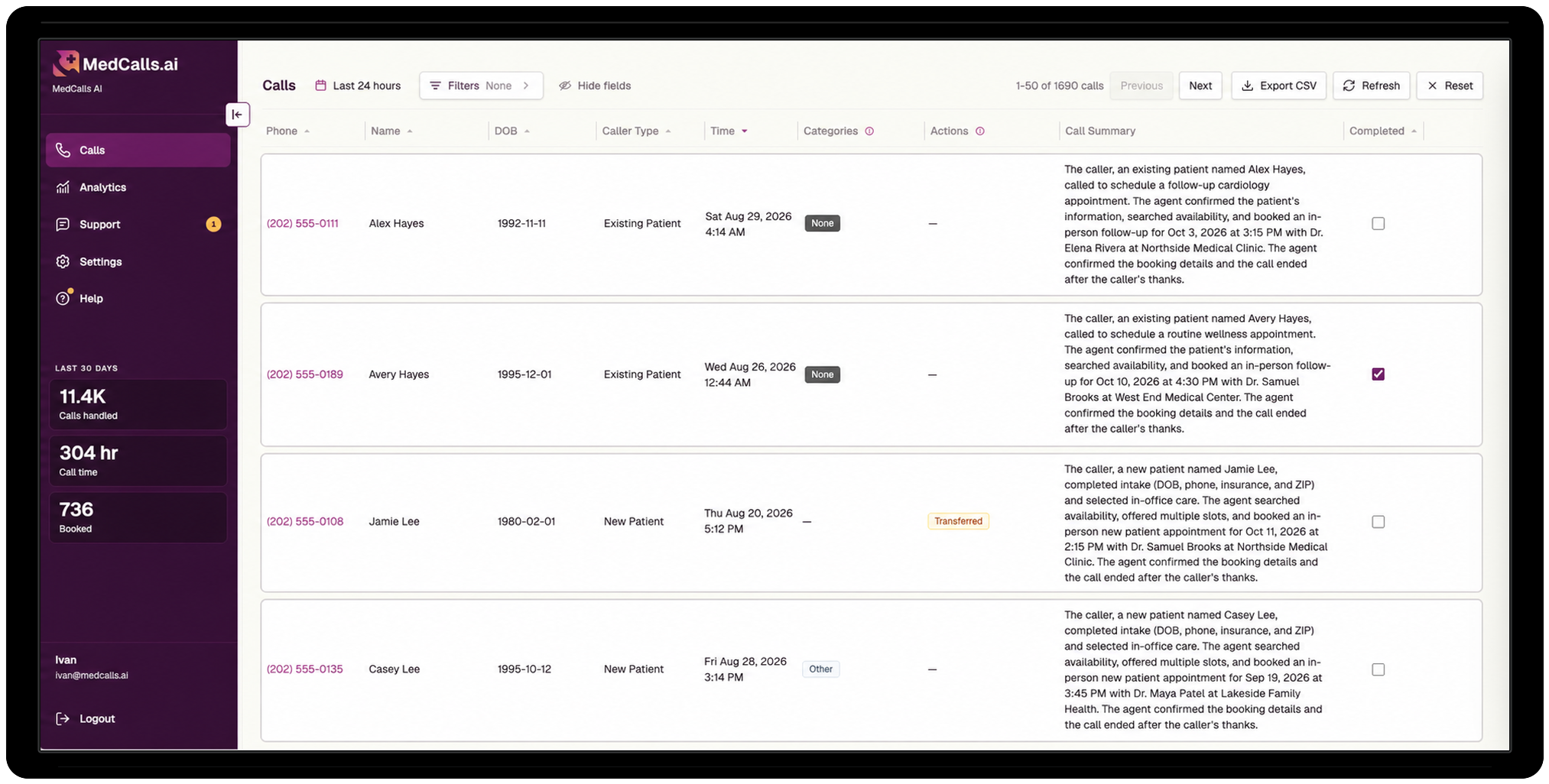
MedCalls call history dashboard showing filters, synthetic callers, summaries, actions, and completed outcomes
Call history keeps every outcome searchable.
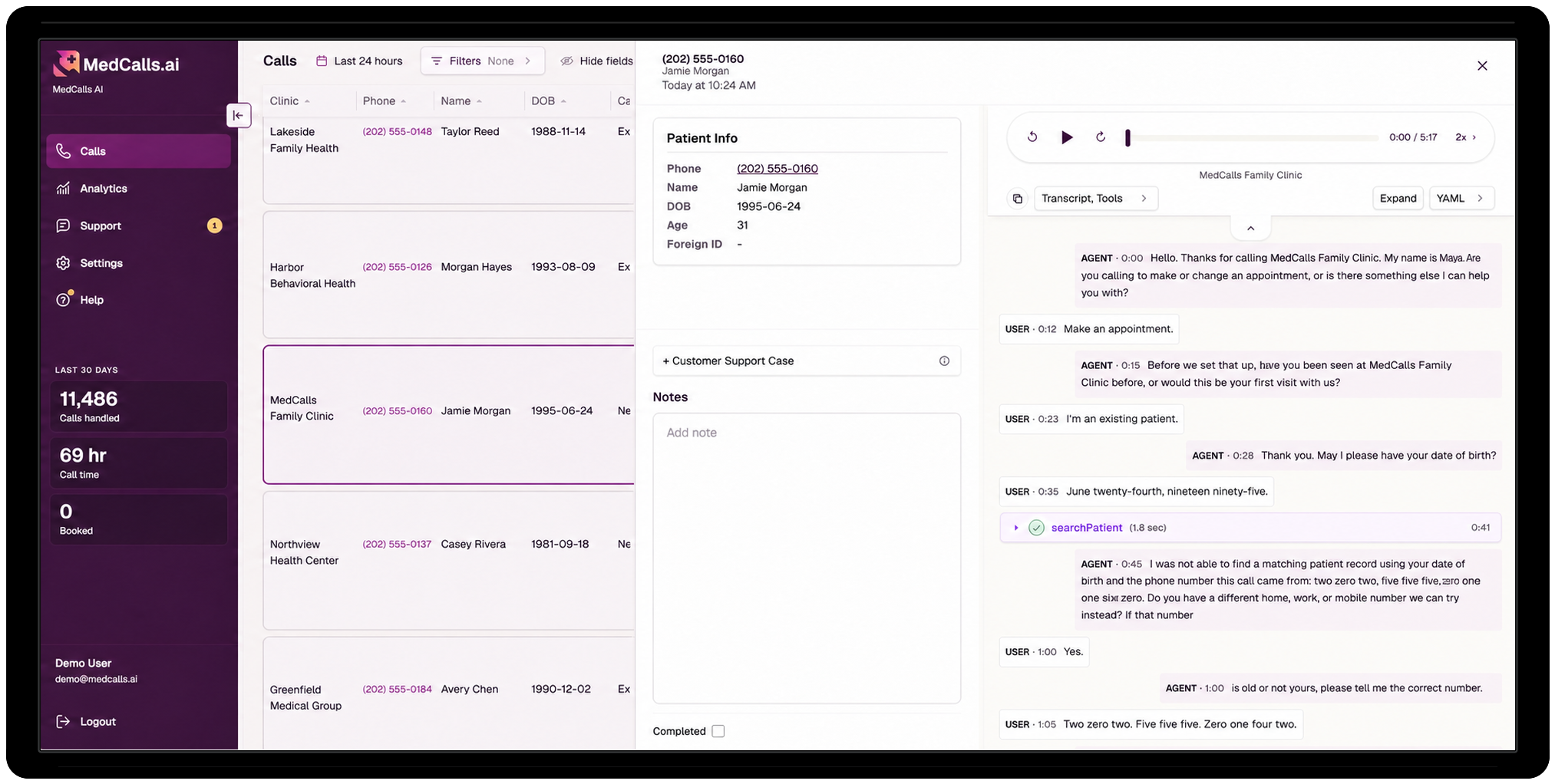
Expanded MedCalls call record with synthetic patient information, audio controls, transcript, and call notes
Open a selected call for the recording, transcript, and context.

Dashboard and analytics

See the results behind the call volume.

Choose a reporting period to see what MedCalls handled, the appointments it booked, and how outcomes changed over time.

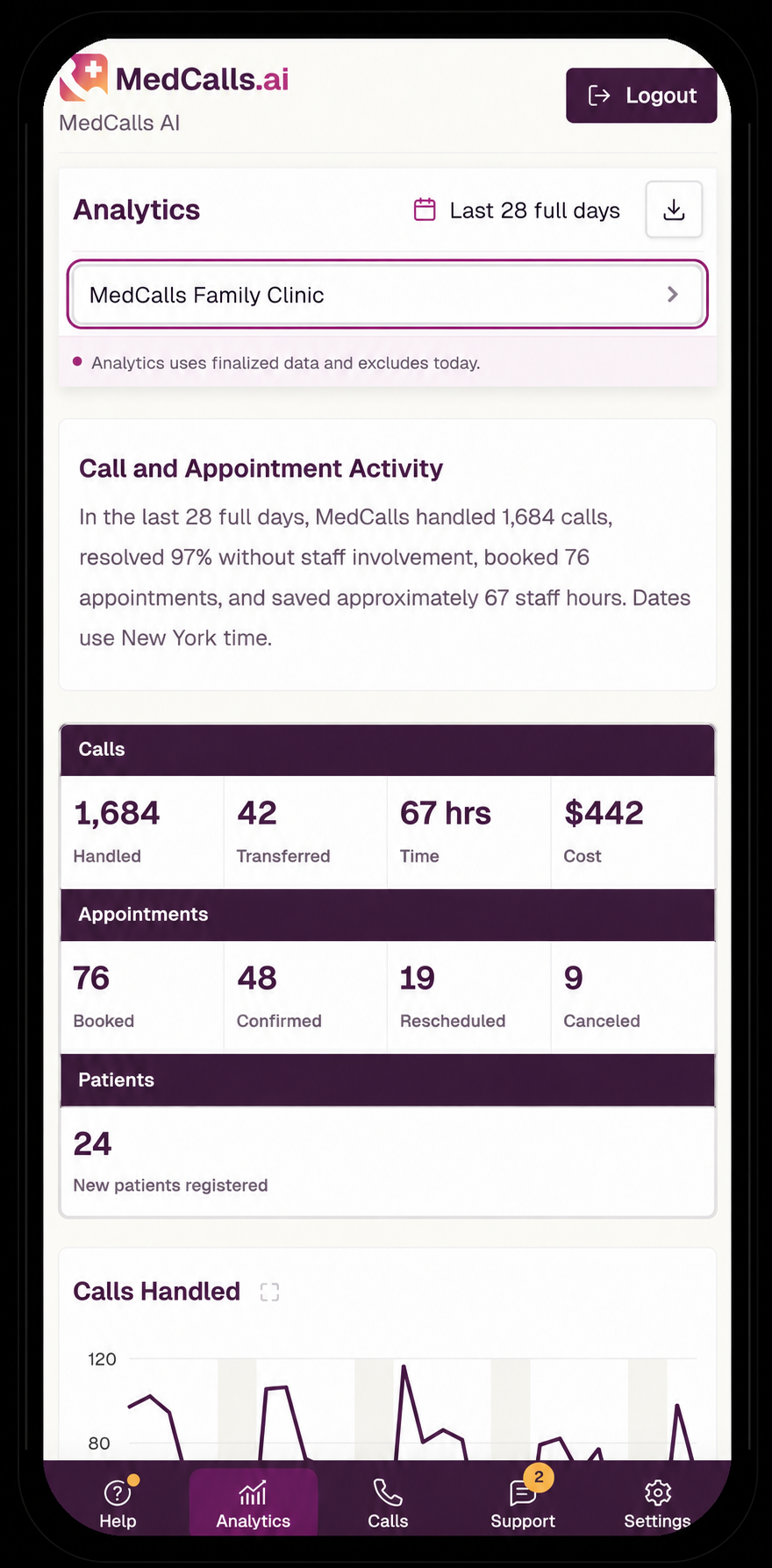
Mobile MedCalls analytics dashboard showing synthetic calls, appointments, patient registrations, cost, and call trends
  • Calls handledReview volume for the selected period.
  • Appointments bookedSee bookings completed through MedCalls.
  • Actions and outcomesUnderstand how calls were resolved or routed.
  • Period trendsCompare activity across the days you choose.
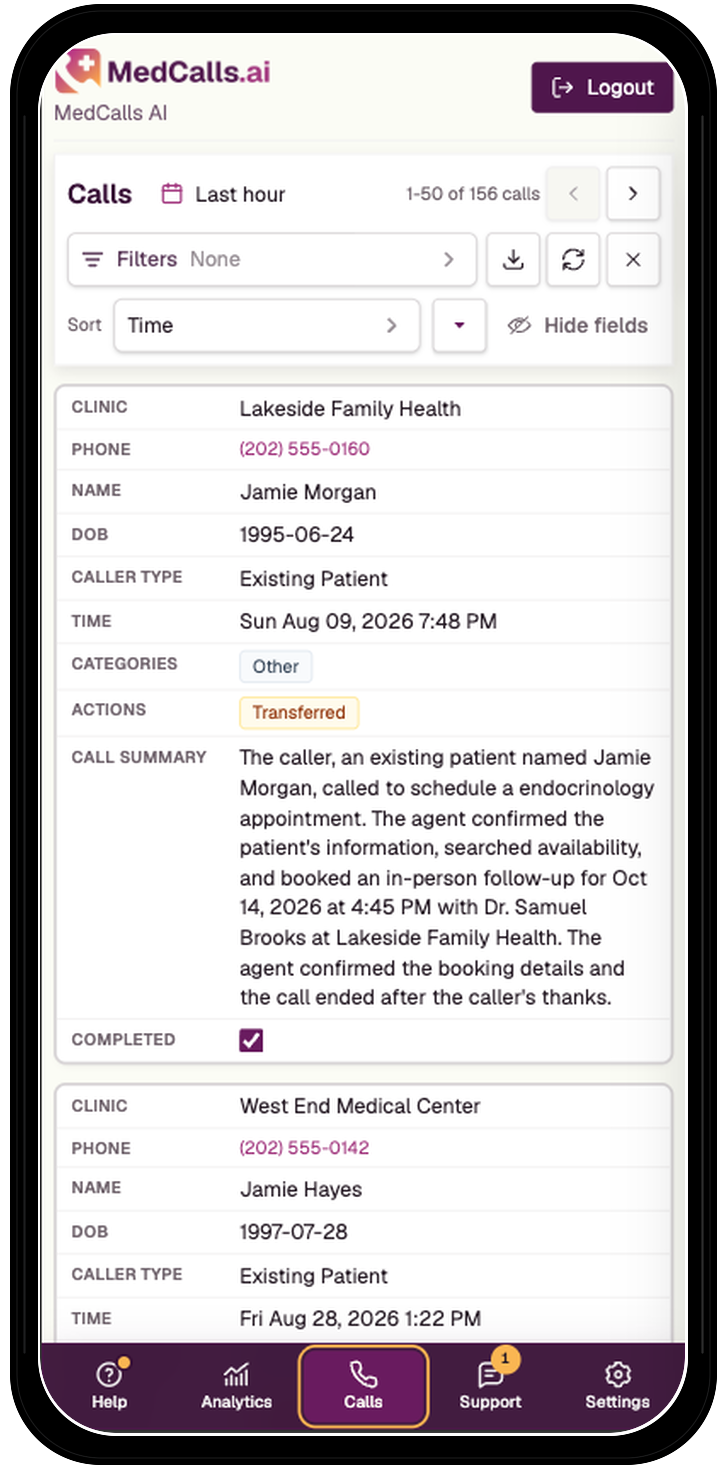
Mobile MedCalls call history with readable synthetic call records, filters, summaries, categories, and actions

Find calls that need attention

Get to the right calls faster.

Start with the full call list, then narrow it to the time period, patient or call category, and actions that matter to your team. Calls with an unresolved request stay connected to the context your staff needs to act.

Date and time Call or patient category Actions taken Needs staff attention

The dashboard surfaces the call and its context. Your clinic team remains in control of any follow-up work.

Take the data with you

Keep analyzing in the tools you already use.

Export call data for the period you choose and continue the analysis in your team’s existing workflow.
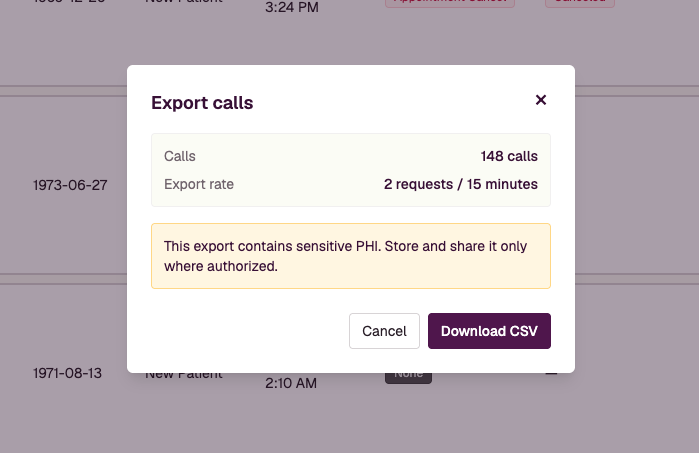
MedCalls CSV export dialog showing a synthetic call count and a warning to handle sensitive data appropriately

Answers stay close

Find docs, updates, and the full changelog.

Open help from the dashboard to review documentation, see what is new, and follow improvements as the workspace expands.
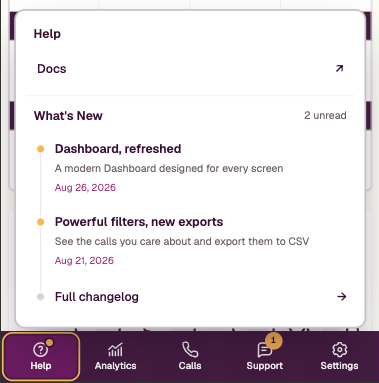
MedCalls Help menu with links to documentation, new dashboard updates, and the full changelog

Support inside the workspace

Ask for help with the call context close at hand.

Submit a question, report a concern, request a change, and follow the status of an open case without leaving the dashboard.
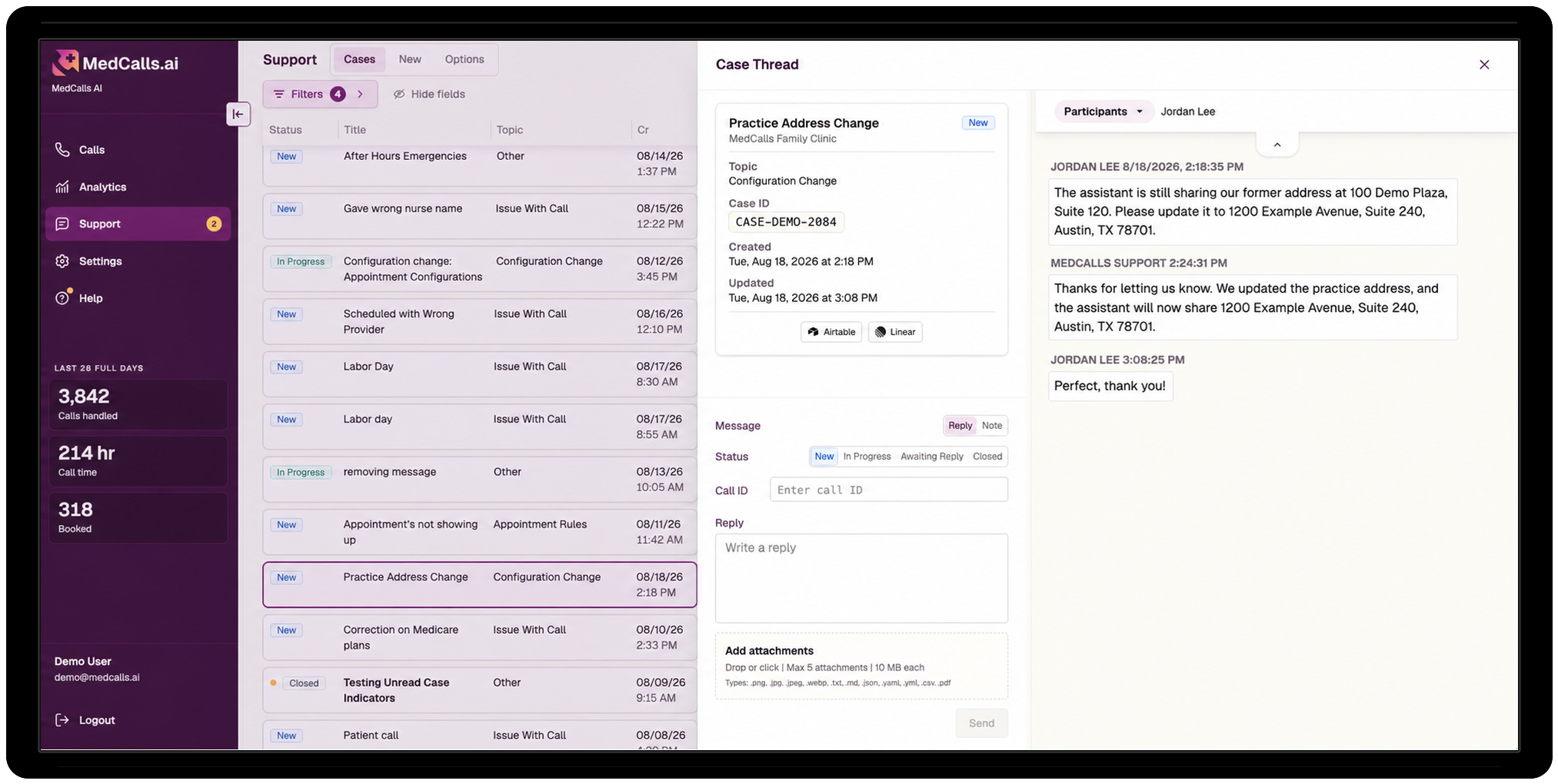
Synthetic MedCalls support case thread for a practice address change with case status and messages
Open the full-size support case

Start a case with the right details.

Add a short title, select the account and topic, and give the MedCalls team the context needed to help.
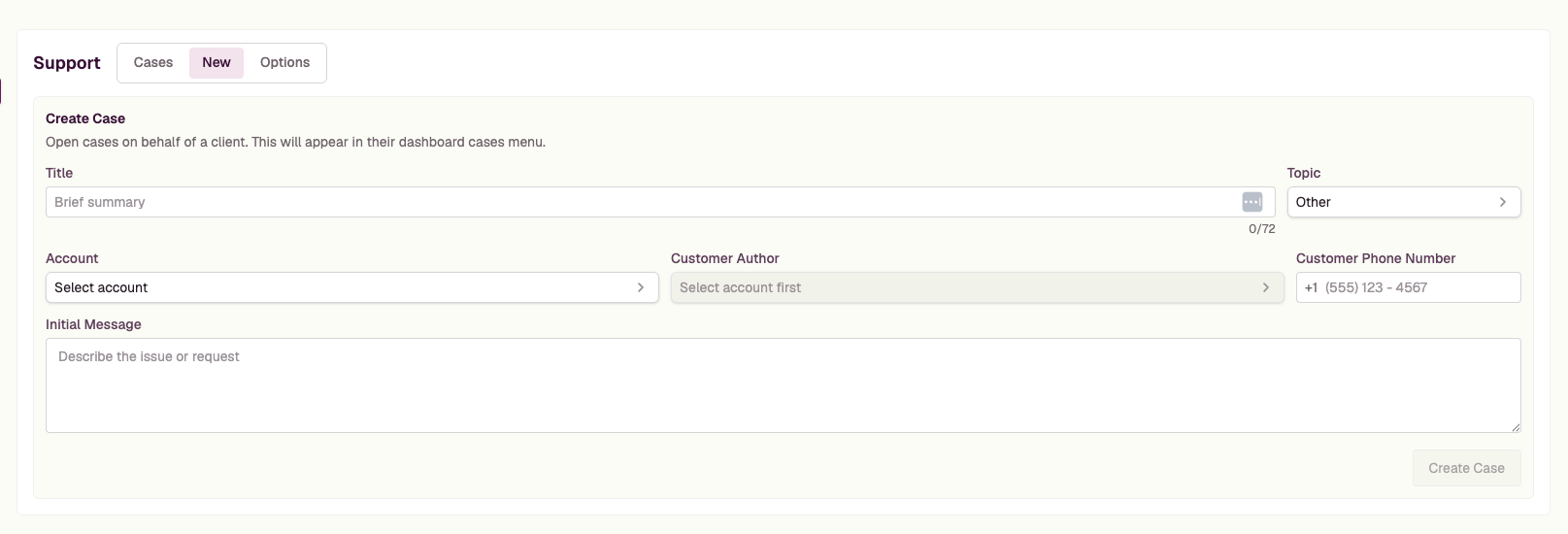
Create Case form in the MedCalls dashboard with fields for topic, account, customer phone number, and initial message

Visibility after every call

See how the dashboard fits your clinic.

Bring a real workflow or reporting question. We will show you how your team can review calls, spot follow-up needs, and measure the work MedCalls completes.